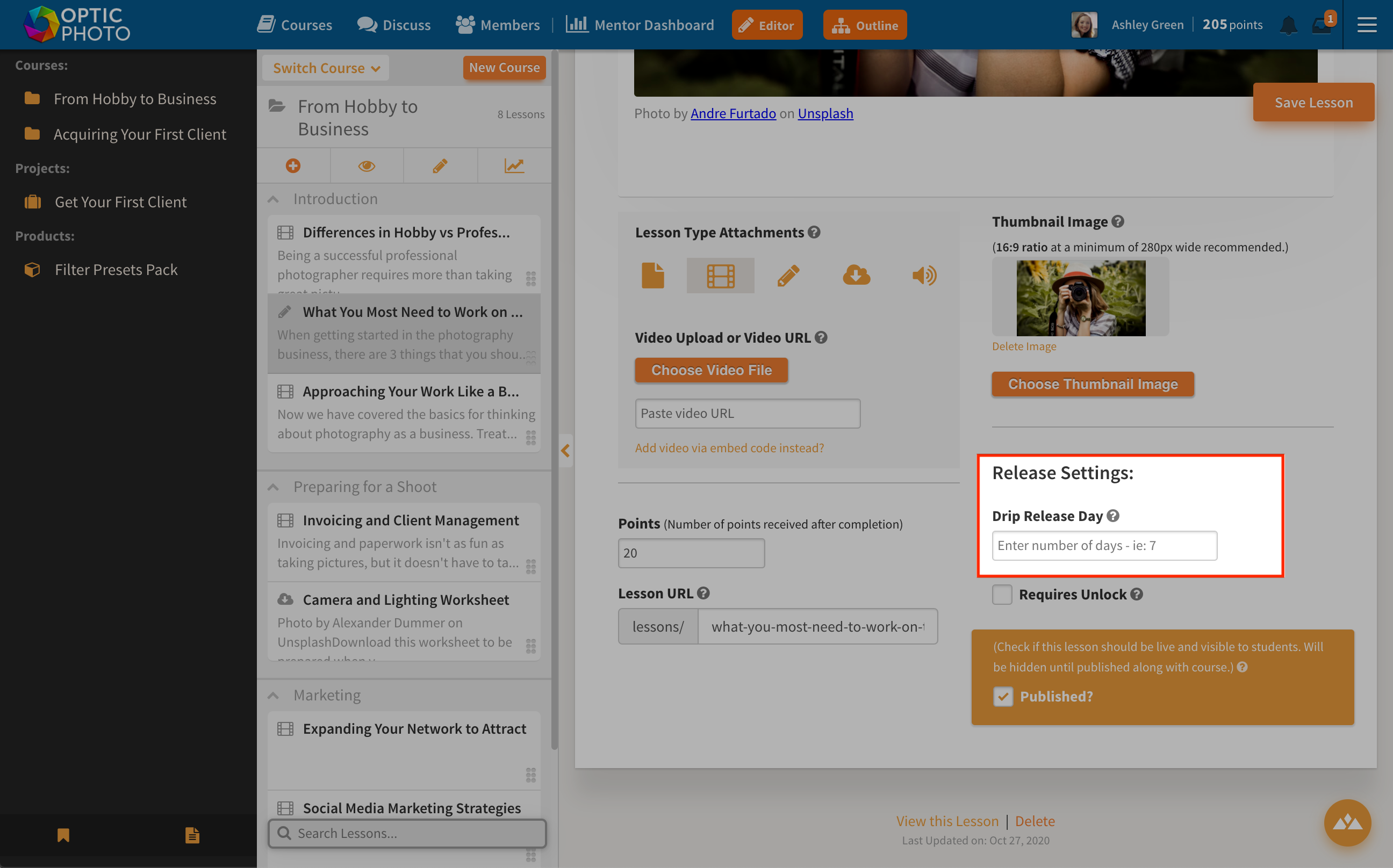
You can choose to apply a "Drip Release Setting" to lessons inside a course.
This feature allows you to drip feed lesson content to students. For example, if you enter the number 7 as the lesson release day, the lesson will become available to students 7 days after they join your program. This feature is extremely useful to help guide students through your program more slowly and keep fresh new content coming to them based on their individual signup time.
To learn more about the different types of Lessons themselves, see our guide on Lessons.
To set a drip release time, open the lesson editor for the lesson your want to modify. Under "Release Setting", type in the number of drip days in the "Drip Release Day" space. Simply type the number: for example, if you type 7, that particular lesson will become available to students 7 days after they join your program or online course.
Lesson and Module drip release start days are based on the date that your student purchases the course or the
course launch date (whichever is later).
1. Free courses have a drip release based on the date a student's enrollment date in your program
2. Paid courses or courses granted to students have a drip start date based on the date that the student is granted or purchases the course.
3. Courses that are free or paid with a future launch date will have their drip start date start on the launch date of the course.
4.
Challenges do not have a drip release option, as you can set the exact date when a lesson launches so all your students can go through the content at the same time.
All of the above situations only happen if you set a drip release to the course. If you leave the drip release settings empty, students will be able to get access to all the content in your course as soon as they purchase it, access it or after the launch date.
Was this article helpful?Help us keep our guidance useful.
Share feedback